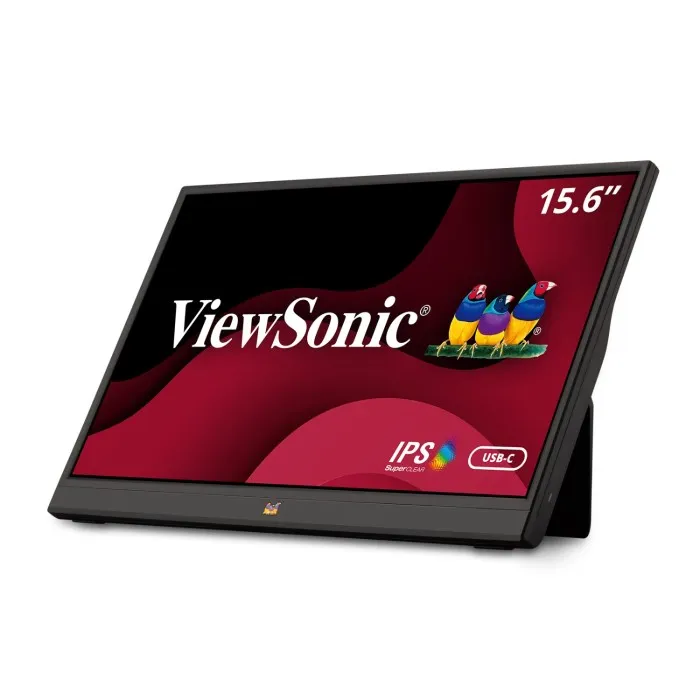
In today’s fast-paced digital world, professionals, gamers, and content creators are constantly seeking ways to enhance their productivity on the go. The ViewSonic portable monitor has emerged as a game-changing solution that transforms how we work, play, and create outside traditional office environments. These sleek, lightweight displays offer the perfect blend of portability and performance, allowing you to extend your workspace anywhere from coffee shops to client meetings, from hotel rooms to outdoor workspaces.
The demand for portable display solutions has skyrocketed in recent years, with the global portable monitor market projected to reach $2.8 billion by 2027, growing at a compound annual growth rate of 12.3%. This surge reflects a fundamental shift in how we approach work and entertainment, with remote work arrangements and mobile gaming driving unprecedented interest in portable display technology. ViewSonic, a trusted name in display technology for over three decades, has positioned itself as a leader in this space by delivering innovative portable monitors that don’t compromise on quality or features.
Why Choose a ViewSonic Portable Monitor for Your Mobile Workspace?
ViewSonic has built its reputation on delivering exceptional visual quality and reliable performance across its entire product lineup. When you invest in a ViewSonic portable monitor, you’re getting more than just a secondary screen – you’re gaining access to professional-grade display technology packed into an ultra-portable form factor. These monitors incorporate the same advanced panel technology and color accuracy found in ViewSonic’s full-sized professional displays, ensuring that your mobile workspace doesn’t mean compromising on visual quality.
The company’s portable monitor lineup features IPS (In-Plane Switching) panel technology, which delivers superior color accuracy and wide viewing angles of up to 178 degrees. This means whether you’re reviewing design work, analyzing spreadsheets, or watching content, the colors remain consistent and accurate from virtually any viewing position. Many models achieve 100% sRGB color gamut coverage, making them suitable for color-critical work including photo editing, graphic design, and video production. This level of color accuracy in a portable package was unthinkable just a few years ago.
Battery life and power efficiency represent critical considerations for any portable device, and ViewSonic has engineered their portable monitors with intelligent power management systems. Many models can be powered directly through a single USB-C cable, eliminating the need for bulky power adapters and reducing cable clutter. This USB-C connectivity not only delivers power but also transmits video and audio signals simultaneously, creating a true one-cable solution that maximizes convenience. For users who need extended battery operation, some ViewSonic portable monitors include built-in batteries that provide hours of untethered use, perfect for outdoor presentations or working in locations without readily available power outlets.
Key Features That Set ViewSonic Portable Displays Apart
The portable monitor from ViewSonic comes equipped with an impressive array of features designed to enhance productivity and user experience. Screen sizes typically range from 13.3 inches to 17.3 inches, offering flexibility based on your specific needs and portability requirements. The 15.6-inch models strike an optimal balance between screen real estate and portability, fitting easily into most laptop bags while providing substantial additional workspace. Resolution options include Full HD (1920×1080) for standard productivity tasks and 4K (3840×2160) for professionals who demand ultra-sharp detail and maximum screen space for multitasking.
Connectivity options on ViewSonic portable monitors are comprehensive and future-proof. Beyond the versatile USB-C ports, many models include mini-HDMI inputs for compatibility with a wider range of devices including cameras, gaming consoles, and older laptops. Some premium models offer multiple USB-C ports, allowing you to connect to different devices simultaneously or use one port for video and another for charging. This flexibility ensures that regardless of your device ecosystem, you’ll have no trouble connecting your ViewSonic portable monitor to your laptop, smartphone, tablet, or desktop computer.
Build quality and design aesthetics receive considerable attention in ViewSonic’s portable monitor lineup. These displays feature slim bezels that maximize screen space while minimizing overall dimensions, with many models measuring less than 10mm in thickness. The lightweight construction, typically ranging from 1.5 to 3 pounds depending on screen size, ensures that adding a portable monitor to your travel setup doesn’t significantly increase your carrying weight. Premium aluminum chassis provide durability without excessive bulk, while integrated kickstands or protective cases with stand functionality offer versatile viewing angles without requiring additional accessories.
ViewSonic Portable Monitor Models: Finding Your Perfect Match
ViewSonic offers several distinct portable monitor series, each tailored to specific user needs and use cases. The VG series targets business professionals with features like daisy-chain capability, advanced ergonomics, and enhanced eye-care technologies. These models typically include blue light filters and flicker-free technology to reduce eye strain during extended work sessions. The color calibration tends toward neutral accuracy, making them ideal for document review, spreadsheet analysis, and general productivity tasks where color accuracy is important but not necessarily critical.
The TD series introduces touch functionality, transforming your portable display into an interactive workspace. These touch-enabled portable monitors support both Windows and macOS gesture controls, allowing you to interact with your content more intuitively. The 10-point multi-touch capability enables complex gestures and supports stylus input on compatible devices, making them excellent choices for designers, educators, and anyone who benefits from direct screen interaction. The touch responsiveness is exceptional, with minimal latency between input and on-screen action, creating a natural and fluid user experience.
For creative professionals and content creators, ViewSonic’s ColorPro series portable monitors deliver exceptional color accuracy with factory calibration and support for multiple color gamuts including sRGB, Adobe RGB, and DCI-P3. These models often include hardware calibration capabilities, allowing you to maintain precise color accuracy over time. The combination of 4K resolution, wide color gamut coverage, and professional-grade panel quality makes these portable monitors suitable for serious photo editing, video color grading, and other color-critical workflows. Despite their professional capabilities, these displays maintain the portability that makes them practical for location shoots and client presentations.
Maximizing Productivity with Dual-Screen Setups
Research consistently demonstrates that dual-monitor setups significantly boost productivity, with studies showing efficiency improvements ranging from 20% to 30% across various tasks. A ViewSonic portable monitor enables you to create this productivity-enhancing dual-screen environment wherever you work, whether that’s at home, in a client’s office, or at a temporary workspace. The additional screen real estate allows you to keep reference materials, communication tools, or monitoring applications visible while focusing on your primary work on your laptop’s built-in display.
Different professionals leverage portable monitors in unique ways to optimize their workflows. Software developers can keep documentation, code repositories, or terminal windows on the portable display while writing code on their primary screen. Financial analysts benefit from monitoring live market data on one screen while analyzing reports or building models on another. Content creators can preview their work on one display while keeping editing tools and timelines visible on the other. Writers and researchers appreciate having reference materials readily accessible without constant window switching, maintaining better focus and writing flow.
The psychological benefits of expanded workspace extend beyond mere convenience. Having dedicated screen space for different types of information reduces cognitive load and context switching, allowing your brain to maintain better focus on complex tasks. When you’re not constantly minimizing and maximizing windows or using split-screen views that shrink your content, you can work more naturally and efficiently. The ViewSonic portable monitor becomes an extension of your digital workspace, enabling a more organized and less mentally taxing approach to multitasking.
Gaming on the Go with ViewSonic Portable Gaming Monitors
Mobile gaming has evolved far beyond smartphone screens, with serious gamers demanding desktop-quality experiences on portable devices. ViewSonic has responded with portable monitors specifically engineered for gaming, featuring high refresh rates up to 144Hz for smooth, fluid gameplay without motion blur. These displays incorporate Adaptive Sync technology, which synchronizes the monitor’s refresh rate with your graphics card’s output, eliminating screen tearing and stuttering that can disrupt immersive gaming experiences. The result is remarkably smooth gameplay whether you’re connected to a gaming laptop, Nintendo Switch, PlayStation, or Xbox console.
Suggested read: Portable Gas Tank With Pump: Your Ultimate Solution for Fuel Storage and Transfer
Response time is critical for competitive gaming, where milliseconds can determine victory or defeat. ViewSonic’s gaming-focused portable monitors achieve response times as low as 3ms, ensuring that your actions translate to on-screen results with minimal latency. Combined with low input lag, these displays provide the responsiveness serious gamers require for fast-paced titles including first-person shooters, fighting games, and competitive multiplayer experiences. The ViewSonic portable monitor gaming lineup doesn’t sacrifice this performance for portability, delivering specs that rival full-sized gaming monitors in a package you can easily transport to LAN parties, tournaments, or travel destinations.
Visual quality remains paramount even in gaming scenarios, and ViewSonic’s portable gaming monitors deliver vibrant colors, deep blacks, and excellent contrast ratios that bring games to life. Many models feature HDR (High Dynamic Range) support, expanding the range of colors and brightness levels to create more realistic and visually stunning imagery. Whether you’re exploring detailed open-world environments, appreciating artistic indie games, or competing in esports titles, the display quality enhances your gaming experience. The combination of gaming-specific features and premium panel quality makes these portable monitors versatile enough for both serious gaming sessions and productivity work.
Setup and Configuration: Getting Started with Your Portable Display
Setting up your ViewSonic portable monitor is refreshingly straightforward, designed with plug-and-play simplicity in mind. For USB-C connections, simply connect the included cable between your device and the monitor – no driver installation or complex configuration required. Your operating system will automatically detect the new display and extend or mirror your desktop within seconds. Windows, macOS, and most Linux distributions handle portable monitor detection seamlessly, though you may want to access display settings to adjust resolution, scaling, and arrangement to match your preferences.
For devices without USB-C video output capabilities, the mini-HDMI connection provides universal compatibility. Connect the mini-HDMI cable to the monitor and a standard HDMI cable to your source device, then connect the monitor to power using the included USB power adapter or a USB power bank. Some ViewSonic portable monitors include on-screen display (OSD) buttons or joysticks that allow you to adjust brightness, contrast, color temperature, and input selection directly on the monitor. These controls are typically located along the edge of the display for easy access without obstruction.
Display arrangement and orientation settings allow you to customize how your portable monitor integrates with your existing screen. In Windows, access display settings by right-clicking on the desktop and selecting “Display settings,” where you can drag virtual representations of your screens to match their physical arrangement. This ensures that when you move your cursor off the edge of one screen, it appears on the adjacent screen in the correct location. You can also choose whether to extend your desktop across both displays or mirror the same content to both screens, with extension being the preferred option for productivity and mirroring useful for presentations.
Eye Care Technologies for Extended Use
ViewSonic has earned recognition for its commitment to eye health through comprehensive eye-care technologies integrated into their portable monitors. The Flicker-Free technology eliminates the screen flickering that occurs when monitors adjust brightness through pulse-width modulation. While this flickering typically occurs at frequencies beyond conscious perception, research indicates it contributes to eye strain, headaches, and fatigue during extended viewing sessions. By implementing DC (Direct Current) backlighting, ViewSonic portable monitors maintain steady brightness without flickering, creating a more comfortable viewing experience during all-day work sessions.
Blue Light Filter functionality addresses another significant source of digital eye strain and sleep disruption. Blue light wavelengths, while natural in sunlight, can cause eye fatigue and disrupt circadian rhythms when experienced from digital screens, especially during evening hours. ViewSonic’s Blue Light Filter reduces blue light emission without significantly affecting color accuracy, with multiple filter levels allowing you to balance eye comfort with color fidelity based on your specific task and time of day. For general productivity work, higher filter levels provide maximum eye comfort, while color-critical tasks might benefit from lower filter settings that preserve color accuracy.
The TÜV Rheinland Eye Comfort certification that many ViewSonic portable monitors carry represents independent verification of these eye-care features. This certification requires rigorous testing of flicker levels, blue light emission, and other factors that affect viewing comfort. For professionals who spend eight or more hours daily looking at screens, these eye-care technologies aren’t mere conveniences – they’re essential features that can significantly reduce eye strain, prevent headaches, and support long-term eye health. The ViewSonic portable monitor lineup prioritizes your visual comfort without requiring you to sacrifice display quality or performance.
Portable Monitor Use Cases Across Industries
The versatility of ViewSonic portable monitors extends across numerous professional contexts and industries. Financial professionals use portable displays to monitor multiple data streams during client meetings, keeping market information, portfolio performance, and research accessible while presenting recommendations on their primary screen. Real estate agents leverage portable monitors during property showings, displaying floor plans, neighborhood information, or mortgage calculations while walking clients through homes. The ability to share visual information without huddling around a small laptop screen creates a more professional presentation and facilitates better client communication.
Healthcare providers have discovered significant benefits from portable monitor solutions in various clinical settings. Physicians use portable displays during rounds to review patient charts, lab results, and imaging while remaining at the bedside, improving patient interaction and reducing time spent returning to workstations. Telemedicine applications benefit from extended workspace that keeps patient information visible while conducting video consultations. Medical transcriptionists and healthcare administrators appreciate the ability to create ergonomic dual-screen setups in various locations, reducing repetition strain injuries associated with awkward viewing angles and constant neck rotation.
Creative professionals including photographers, videographers, and graphic designers rely on ViewSonic portable monitors as portable color-accurate displays for client presentations and location work. The ability to show clients high-quality previews during photo shoots or immediately review footage on location improves collaboration and reduces the need for extensive reshoots. Event photographers can set up portable viewing stations where guests can browse and select images during the event itself, creating additional revenue opportunities and enhancing the client experience. The combination of color accuracy, 4K resolution, and true portability makes these displays indispensable tools for visual professionals working outside traditional studio environments.
Comparing ViewSonic to Other Portable Monitor Brands
When evaluating portable monitor options, ViewSonic competes with brands including ASUS, Dell, HP, Lenovo, and specialized portable monitor manufacturers like UPERFECT and EVICIV. ViewSonic distinguishes itself through superior color accuracy, comprehensive eye-care features, and exceptional build quality at competitive price points. While some competitors offer slightly lower prices, ViewSonic portable monitors typically provide better panel quality, more comprehensive warranty coverage, and stronger customer support – factors that significantly impact long-term ownership satisfaction and total cost of ownership.
Color accuracy represents one area where ViewSonic demonstrates clear advantages over many competitors. While budget portable monitors might claim wide color gamuts, ViewSonic backs these specifications with factory calibration and detailed color accuracy reports on premium models. The difference becomes apparent in color-critical work where subtle color shifts can affect decision-making and final output quality. Professionals who have tested multiple brands consistently note that ViewSonic portable monitors deliver more accurate colors out of the box with less need for user calibration or adjustment.
Build quality and reliability differentiate ViewSonic from budget alternatives that might look similar in specifications but use inferior materials and construction methods. The aluminum chassis, reinforced USB-C ports, and high-quality display panels used in ViewSonic portable monitors withstand the rigors of frequent travel and daily use better than plastic alternatives. Customer reviews and professional testing consistently highlight the durability and longevity of ViewSonic displays, with many users reporting years of reliable service without dead pixels, color shift, or connection issues. When you factor in the longer usable lifespan and lower failure rates, the ViewSonic portable monitor often represents better long-term value despite potentially higher initial costs.
Essential Accessories for Your Portable Monitor Setup
Maximizing the utility of your ViewSonic portable monitor often involves complementary accessories that enhance functionality and protection. A high-quality protective case serves as your first line of defense against the bumps and impacts that occur during transport. Look for cases with reinforced corners, thick padding, and secure closures that prevent the monitor from shifting during travel. Some cases integrate adjustable stands into their design, transforming the protective cover into a functional display stand when deployed. This two-in-one functionality reduces the number of accessories you need to carry while ensuring your monitor stays protected when not in use.
Cable management becomes increasingly important as you add a portable monitor to your mobile setup. Consider investing in short, high-quality USB-C and HDMI cables rather than using the longer cables that often come with monitors. Shorter cables reduce tangling, take up less space in your bag, and create a cleaner workspace. Look for cables rated for both power delivery and video transmission, ideally supporting at least 60W power delivery and 4K video resolution. Having backup cables provides peace of mind during important presentations or work sessions where connection failure could prove disruptive.
Suggested read: Portable Satellite Dish: Your Complete Solution for Internet and TV Anywhere
For users who need extended operation away from power outlets, a high-capacity USB power bank with Power Delivery support can keep your ViewSonic portable monitor running for hours. Select power banks rated for at least 45W output to ensure adequate power for the display and potentially your laptop simultaneously. Some premium power banks include multiple output ports, allowing you to charge your phone while powering your portable monitor and laptop.
Additionally, consider a lightweight laptop stand that raises your primary display to eye level while positioning your portable monitor at an appropriate secondary viewing angle, creating a more ergonomic dual-screen setup that reduces neck strain during extended work sessions. Just as a portable pool vacuum simplifies pool maintenance with convenient portability, these accessories enhance the convenience and functionality of your portable monitor setup.
Performance Benchmarks and Real-World Testing
Independent testing and user reviews provide valuable insights into how ViewSonic portable monitors perform in real-world scenarios beyond manufacturer specifications. Professional reviewers consistently praise ViewSonic’s color accuracy, with measurements confirming Delta E values below 2 on calibrated models – a level of accuracy that exceeds the perception threshold of the human eye. Brightness uniformity testing shows minimal variation across the screen surface, typically within 5-10%, ensuring consistent image quality without noticeable bright or dark spots that plague some competing displays.
Response time measurements validate ViewSonic’s gaming-focused portable monitors’ suitability for fast-paced gaming, with total input lag measurements between 10-20ms including both display processing and pixel response time. These figures fall well within the acceptable range for competitive gaming, where anything under 30ms is generally considered unnoticeable. Contrast ratio testing reveals that ViewSonic’s IPS panels deliver superior contrast compared to many competitors, with measurements often exceeding 1000:1 even though IPS technology traditionally produces lower contrast than VA panels. This combination of accurate colors, wide viewing angles, and respectable contrast creates compelling image quality for both productivity and entertainment applications.
Battery life testing on models with integrated batteries shows that ViewSonic’s power consumption claims align closely with real-world performance. Users report 3-5 hours of continuous use at moderate brightness settings, with power-saving features extending battery life to 6-7 hours for less demanding tasks like document review. USB-C power delivery efficiency measurements confirm that ViewSonic portable monitors operate within their specified power envelopes, preventing excessive drain on laptop batteries when powered through USB-C connections. This efficiency becomes particularly important during travel when you’re relying on limited battery capacity across multiple devices.
Troubleshooting Common Portable Monitor Issues
Even reliable displays like the ViewSonic portable monitor can occasionally experience issues that are often easily resolved with basic troubleshooting. If your portable monitor isn’t detected by your computer, first verify that your USB-C cable supports video transmission – not all USB-C cables include this capability, with some designed only for charging or data transfer. Try the cable that came with your monitor or a cable specifically labeled as supporting DisplayPort Alt Mode or Thunderbolt. Additionally, ensure that your laptop’s USB-C port supports video output, as some devices include USB-C ports limited to charging and data transfer without display capabilities.
Display quality issues including flickering, color banding, or resolution problems often stem from incorrect settings or cable limitations. Access your computer’s display settings to verify that the resolution matches your monitor’s native resolution – running at non-native resolutions can cause blurriness and scaling artifacts. If colors appear washed out or inaccurate, check your graphics driver settings and the monitor’s on-screen display menu for picture mode settings that might be set to “vivid” or “gaming” presets rather than the more accurate “standard” or “sRGB” modes. Cable quality significantly impacts display performance, particularly at 4K resolutions, so investing in certified high-speed HDMI or USB-C cables eliminates many connectivity-related issues.
Power-related problems including the monitor not turning on or randomly shutting off typically indicate insufficient power delivery. When using USB-C power, ensure your laptop provides adequate power output – some ultraportable laptops limit USB-C power delivery to conserve battery. Using the included power adapter eliminates power-related issues by providing dedicated power independent of your laptop. If your ViewSonic portable monitor has an integrated battery that isn’t holding charge, try a full discharge followed by an uninterrupted charge cycle to recalibrate the battery management system. For persistent hardware issues, ViewSonic’s customer support provides troubleshooting assistance and warranty service when necessary.
The Future of Portable Display Technology
The portable monitor market continues evolving rapidly with emerging technologies that promise to further enhance the ViewSonic portable monitor experience. MicroLED and MiniLED backlighting technologies are beginning to appear in premium portable displays, offering improved contrast ratios, deeper blacks, and more precise local dimming compared to traditional LED backlighting. These technologies enable HDR performance that approaches OLED displays without the burn-in concerns or high power consumption that makes OLED less practical for portable applications. ViewSonic’s research and development investments suggest these advanced display technologies will gradually migrate to their portable monitor lineup at increasingly accessible price points.
Wireless display connectivity represents another area of active development that could eliminate the last remaining cables from portable monitor setups. While current wireless display technologies like Miracast and AirPlay introduce latency that makes them impractical for productivity work and gaming, new standards including WiGig and proprietary wireless display solutions promise latency levels approaching wired connections. Battery technology improvements continue reducing weight and increasing capacity, with solid-state batteries potentially offering double the energy density of current lithium-ion batteries in the coming years. These advances would enable all-day portable monitor operation without connection to external power sources.
Artificial intelligence and machine learning are being integrated into display technology to optimize image quality and user experience automatically. Future ViewSonic portable monitors might include AI-powered ambient light sensors that adjust not just brightness but also color temperature and contrast based on environmental conditions and content type. Eye-tracking technology could enable automatic screen dimming when you look away, conserving power and reducing eye strain. Content-aware optimization might automatically detect whether you’re viewing documents, photos, videos, or games and adjust display settings accordingly. These intelligent features would make portable monitors even more versatile and user-friendly while maintaining the simplicity that makes them practical for mobile use.
Environmental Considerations and Sustainability
ViewSonic demonstrates commitment to environmental responsibility through various sustainability initiatives reflected in their portable monitor lineup. The company maintains ISO 14001 environmental management certification and designs products with reduced environmental impact throughout their lifecycle. ViewSonic portable monitors meet stringent energy efficiency standards including ENERGY STAR certification where applicable, consuming minimal power during operation and dropping to near-zero consumption in standby mode. This efficiency reduces the carbon footprint associated with device usage while extending battery life for devices powering the monitor through USB-C connections.
Material selection and manufacturing processes reflect ViewSonic’s environmental consciousness, with increasing use of recycled plastics and sustainably sourced materials in product construction and packaging. The company has reduced packaging size and eliminated unnecessary plastics, using molded paper pulp or recycled cardboard for protective packaging instead of foam or plastic alternatives. These changes reduce shipping volume and weight, lowering transportation-related emissions while decreasing landfill waste. ViewSonic’s take-back and recycling programs in various regions facilitate proper disposal and material recovery at end-of-life, preventing electronic waste from entering landfills where toxic materials could leach into soil and water.
Durability represents perhaps the most significant environmental contribution of quality ViewSonic portable monitors. Products that last five to seven years with consistent performance generate far less environmental impact than budget alternatives requiring replacement every two years. ViewSonic’s comprehensive warranty coverage and reliable customer support extend product lifespan by ensuring that minor issues can be repaired rather than requiring complete device replacement. By investing in a quality portable monitor, you’re not just getting better performance and reliability – you’re making a more sustainable choice that reduces electronic waste and conserves the resources required for manufacturing replacement devices.
Price Points and Value Analysis
ViewSonic portable monitor pricing ranges from approximately $150 for basic 1080p models to $600 or more for premium 4K displays with advanced features. This price spectrum allows users to find options matching their specific needs and budgets without overspending on features they won’t utilize. Entry-level models provide excellent value for users primarily needing extended workspace for productivity applications, offering solid build quality and reliable performance without premium features like 4K resolution, high refresh rates, or wide color gamuts. These displays serve students, business travelers, and remote workers who prioritize portability and basic functionality over specialized capabilities.
Suggested read: Portable A/C Rental: Your Ultimate Solution for Temporary Cooling Needs
Mid-range options priced between $250-$400 represent the sweet spot for most users, delivering excellent performance, 4K resolution options, comprehensive connectivity, and enhanced features without premium pricing. These ViewSonic portable monitors include color-accurate panels suitable for creative work, robust build quality that withstands frequent travel, and thoughtful features like integrated kickstands or protective cases. The value proposition at this price point is compelling, with performance and features that rival much more expensive full-sized monitors in a portable package. For professionals whose productivity and income depend on reliable, high-quality display equipment, the investment pays dividends through improved workflow efficiency and work quality.
Premium models exceeding $400 target specific professional segments including photographers, videographers, graphic designers, and serious gamers who require the absolute best portable display performance. These displays feature factory calibration, hardware calibration support, extended color gamut coverage, high refresh rates, or combination of advanced features that justify their pricing for users whose work depends on exceptional display quality. While the price premium is substantial, the capabilities enable professional work that simply isn’t possible on lower-tier displays. When you consider that a ViewSonic portable monitor at this level replaces dedicated reference monitors costing significantly more while adding portability, the value becomes apparent for serious professionals.
Customer Reviews and User Experiences
Analysis of thousands of customer reviews across retail platforms and tech forums reveals consistently positive sentiment toward ViewSonic portable monitors, with average ratings typically exceeding 4.0 out of 5 stars. Users frequently praise the displays’ color accuracy, build quality, and ease of setup, with many noting that ViewSonic portable monitors meet or exceed their expectations based on specifications and price point. The most common positive themes include excellent value for money, reliable connectivity, and versatile compatibility across different devices and operating systems. Many reviews specifically mention ViewSonic portable monitors replacing more expensive competitors after side-by-side comparisons revealed comparable or superior performance at lower prices.
Constructive criticism from user reviews centers primarily on weight and battery life on models with integrated batteries, with some users wishing for lighter designs or extended battery operation. However, most users acknowledge the trade-offs involved, understanding that features like larger screens, 4K resolution, and built-in batteries necessarily add weight and power consumption. Some users note that the included stands or cases could be more robust or offer more adjustment options, though third-party accessories readily address these concerns. Connection issues appear rarely in reviews and typically stem from cable quality or compatibility issues with specific devices rather than defects in the monitors themselves.
Professional reviewers and tech publications consistently recommend ViewSonic portable monitors as top choices in various categories including best overall portable monitor, best value portable monitor, and best portable monitor for creative professionals. Publications including PCMag, TechRadar, and Tom’s Hardware have featured ViewSonic models in their roundups and buying guides, with editors highlighting the combination of performance, features, and pricing that makes ViewSonic competitive with or superior to better-known consumer electronics brands. Long-term review updates confirm the reliability and durability of ViewSonic portable monitors, with reviewers reporting continued excellent performance after months or years of regular use.
ViewSonic Portable Monitor Specifications Comparison Table
| Model Series | Screen Size | Resolution | Refresh Rate | Weight | USB-C PD | Price Range |
|---|---|---|---|---|---|---|
| VG16 Series | 15.6″ | 1920×1080 | 60Hz | 1.7 lbs | Yes (60W) | $200-$250 |
| VG17 Series | 17.3″ | 1920×1080 | 60Hz | 2.3 lbs | Yes (65W) | $250-$300 |
| TD16 Touch | 15.6″ | 1920×1080 | 60Hz | 2.0 lbs | Yes (60W) | $300-$350 |
| ColorPro VP16 | 15.6″ | 3840×2160 | 60Hz | 1.9 lbs | Yes (60W) | $400-$500 |
| Gaming VX16 | 15.6″ | 1920×1080 | 144Hz | 1.8 lbs | Yes (60W) | $350-$450 |
| ColorPro VP17 | 17.3″ | 3840×2160 | 60Hz | 2.5 lbs | Yes (65W) | $500-$600 |
This comparison table illustrates how different ViewSonic portable monitor models serve distinct user needs and price sensitivities. The variety ensures that whether you’re a student on a tight budget, a business professional requiring reliable productivity tools, a creative professional demanding color accuracy, or a gamer seeking high refresh rates, ViewSonic offers appropriate options at competitive prices.
Warranty, Support, and Customer Service
ViewSonic backs their portable monitors with comprehensive warranty coverage that demonstrates confidence in product quality and reliability. Standard warranty coverage typically includes three years for the monitor itself with varying coverage for accessories and components. This extended warranty period exceeds the one-year coverage common among consumer electronics and provides peace of mind for users investing in their portable display solution. The warranty covers manufacturing defects, component failures, and functional issues that arise during normal use, though physical damage from accidents or misuse falls outside coverage as is standard across the industry.
Customer support accessibility represents another ViewSonic strength, with multiple contact methods including phone support, email support, live chat, and comprehensive online resources. The company maintains detailed knowledge bases, user manuals, setup guides, and troubleshooting resources on their website, enabling users to resolve common issues independently without waiting for support responses. When direct support becomes necessary, users report generally positive experiences with knowledgeable representatives who understand the technical aspects of portable monitors and can provide specific solutions rather than generic troubleshooting scripts. Response times vary based on contact method and time, with live chat typically providing immediate assistance during business hours.
The warranty claim and repair process receives mixed reviews, with some users reporting smooth, quick resolution and others experiencing extended wait times for replacement units or repairs. ViewSonic has established partnerships with regional service centers that handle warranty repairs, though the quality and efficiency of these service centers varies by location. For users requiring uninterrupted access to their ViewSonic portable monitor for critical work, considering accidental damage protection through retailers or extended warranty coverage provides additional security. Despite occasional service delays, ViewSonic’s warranty coverage and support infrastructure exceeds what many smaller portable monitor manufacturers offer, providing greater long-term ownership security.
Making the Right Purchase Decision
Selecting the ideal ViewSonic portable monitor requires careful consideration of your specific use cases, budget constraints, and feature priorities. Begin by identifying your primary applications – will you primarily use the portable monitor for productivity work, creative projects, gaming, or a combination of uses? Productivity-focused users can often save money by selecting 1080p displays with good color accuracy and reliable connectivity without paying premiums for features like high refresh rates or touch functionality that they won’t regularly utilize. Creative professionals should prioritize color accuracy, considering models with 4K resolution, wide color gamut support, and factory calibration even if this means accepting slightly higher weight or cost.
Screen size selection involves balancing display real estate against portability constraints. The 15.6-inch form factor offers the best compromise for most users, providing substantial workspace extension while fitting easily into standard laptop bags and backpacks. Smaller 13.3-inch models maximize portability but sacrifice screen space that might limit productivity gains. Larger 17.3-inch displays offer impressive workspace but approach the size where the “portable” designation becomes questionable, making them better suited for users who transport their monitors occasionally rather than daily. Consider your typical travel patterns and whether the monitor will commute daily, travel occasionally for business trips, or primarily move between locations within a building.
Connectivity requirements deserve careful attention, particularly regarding USB-C video support on your existing devices. If your laptop, tablet, or phone supports USB-C video output with adequate power delivery, USB-C provides the most elegant single-cable solution. However, older devices or those with limited USB-C capabilities benefit from portable monitors including both USB-C and HDMI inputs, ensuring compatibility regardless of your device ecosystem. Before finalizing your ViewSonic portable monitor purchase, verify that your primary device supports the monitor’s input requirements, check whether you’ll need additional adapters or cables, and confirm that your device can provide adequate power if you plan to use USB-C power delivery.
Where to Buy Your ViewSonic Portable Monitor
ViewSonic portable monitors are available through numerous retail channels, each offering distinct advantages in pricing, selection, and purchasing experience. Major online retailers including Amazon, Best Buy, B&H Photo Video, and Newegg typically stock extensive ViewSonic portable monitor selections with competitive pricing, frequent sales events, and user reviews that provide valuable real-world insights. These platforms offer convenient shopping experiences with detailed product comparisons, usually fast shipping, and straightforward return policies that protect your purchase investment. Prime members on Amazon and Elite members at Best Buy receive additional benefits including expedited shipping and extended return windows.
Purchasing directly from ViewSonic’s official website ensures product authenticity while often providing access to the complete product lineup including newer models that might not yet be available through third-party retailers. Direct purchases include manufacturer warranty registration, access to ViewSonic customer support, and occasionally exclusive promotions or bundles not available elsewhere. Business customers can access volume discounts and specialized support through ViewSonic’s business sales division, making direct purchase particularly attractive for organizations equipping multiple employees with portable displays. The trade-off is that pricing might be slightly higher than competitive retail channels, though the assurance of genuine products and direct manufacturer support often justifies any price difference.
Specialty computer and electronics retailers like Micro Center and local computer stores offer the advantage of in-person examination and immediate purchase, allowing you to see display quality firsthand before committing. However, selection tends to be more limited than online options, and pricing often exceeds online competitors due to higher overhead costs. For users who value hands-on evaluation or need immediate availability for urgent projects, the convenience premium might prove worthwhile. Regardless of where you purchase your ViewSonic portable monitor, verify the seller’s reputation, confirm warranty coverage, understand the return policy, and retain purchase documentation for warranty claims. Taking these precautions protects your investment and ensures positive ownership experience.
Ready to Transform Your Mobile Workspace?
The ViewSonic portable monitor represents more than just a hardware purchase – it’s an investment in your productivity, creativity, and work-life flexibility. Whether you’re a remote worker seeking to replicate your office setup anywhere, a content creator requiring color-accurate displays on location, or a gamer wanting console-quality experiences during travel, ViewSonic’s portable monitor lineup offers solutions engineered specifically for your needs. The combination of professional-grade display technology, thoughtful feature implementation, and ViewSonic’s decades of display expertise creates portable monitors that don’t compromise on quality despite their mobile form factor.
Suggested read: GE Portable Air Cooler: Your Ultimate Solution for Efficient Home Cooling in 2025
As remote and hybrid work arrangements become permanent fixtures of modern professional life, the tools that enable productive work outside traditional office environments become increasingly essential. A portable monitor transforms any location into a functional workspace, eliminating the productivity limitations of single-screen laptop setups and enabling you to maintain professional output regardless of where your work takes you. The relatively modest investment in a quality ViewSonic portable monitor pays dividends through enhanced efficiency, reduced eye strain from better ergonomics, and the flexibility to work effectively in diverse environments from home offices to coffee shops, from hotel rooms to coworking spaces.
Now is an excellent time to add a ViewSonic portable monitor to your technology toolkit, with competitive pricing, mature technology that delivers reliable performance, and a wide selection of models ensuring you can find the perfect match for your specific requirements. Don’t let another day pass working with the limitations of a single screen when dual-monitor productivity is just one purchase away. Explore the complete ViewSonic portable monitor lineup today and discover which model will transform how you work, create, and play on the go.
Frequently Asked Questions About ViewSonic Portable Monitors
What makes ViewSonic portable monitors different from other brands?
ViewSonic portable monitors distinguish themselves through superior color accuracy with factory calibration on premium models, comprehensive eye-care technologies including Flicker-Free and Blue Light Filter, and exceptional build quality using aluminum chassis and high-grade display panels. The company’s three decades of display technology expertise translates into portable monitors that deliver professional performance in mobile form factors. ViewSonic also provides longer warranty coverage than many competitors, typically offering three-year warranties compared to the one-year coverage common among budget brands.
Can I use a ViewSonic portable monitor with my smartphone or tablet?
Yes, most modern ViewSonic portable monitors work with smartphones and tablets that support video output through USB-C DisplayPort Alt Mode or via HDMI adapters. Many Android phones with USB-C ports and recent iPhones (iPhone 15 and newer with USB-C) can connect directly to portable monitors for screen mirroring or extended display functionality. Tablets including iPad Pro models with USB-C also connect seamlessly, transforming your tablet into a dual-screen workstation. However, power delivery capabilities vary by device, so you may need to use the monitor’s power adapter rather than relying on your mobile device to power the display.
How much does a ViewSonic portable monitor typically cost?
ViewSonic portable monitor pricing ranges from approximately $150 for entry-level 1080p models to $600 or more for premium 4K displays with advanced features like factory calibration, high refresh rates, or touch functionality. The mid-range sweet spot between $250-$400 offers excellent value with 4K resolution options, comprehensive connectivity, and professional-grade features suitable for most users. Your specific needs regarding screen size, resolution, refresh rate, and specialized features will determine the ideal price point for your situation.
Do ViewSonic portable monitors require external power or can they run on battery?
Some ViewSonic portable monitors include integrated batteries that enable completely wireless operation for several hours, while others require external power either through USB-C power delivery from your laptop or through a dedicated power adapter. Models without built-in batteries can still operate without wall power when connected via USB-C to laptops that provide adequate power delivery, typically 45W or higher. Battery-equipped models offer maximum flexibility for outdoor use or locations without power outlets, though they add weight and cost compared to models requiring external power.
What resolution should I choose for my ViewSonic portable monitor?
Resolution selection depends on your primary use cases and budget. Full HD (1920×1080) resolution provides excellent clarity for productivity tasks including document editing, web browsing, and communication applications at lower price points and with reduced power consumption. 4K (3840×2160) resolution benefits creative professionals working with detailed images or video, users who need maximum screen real estate for complex applications, and those who want future-proof displays that will remain relevant as content increasingly adopts higher resolutions. For a 15.6-inch ViewSonic portable monitor, 1080p provides adequate pixel density for most users, while 4K delivers noticeably sharper text and images worth the investment for professional applications.
Can I use multiple ViewSonic portable monitors with one laptop?
Yes, you can connect multiple ViewSonic portable monitors to a single laptop if your computer has sufficient video output ports and graphics processing capability. Most modern laptops support at least two external displays in addition to the built-in screen, though specific capabilities vary by model and graphics configuration. You might connect one portable monitor via USB-C and another via HDMI, or daisy-chain compatible models using DisplayPort. However, running multiple high-resolution displays impacts battery life and system performance, so this setup works best when your laptop is connected to power and has dedicated graphics capabilities.
Are ViewSonic portable monitors good for gaming?
ViewSonic offers gaming-specific portable monitors featuring high refresh rates up to 144Hz, fast response times as low as 3ms, and Adaptive Sync technology that eliminates screen tearing and stuttering. These specifications make ViewSonic portable monitors excellent for gaming with laptops, Nintendo Switch, PlayStation, and Xbox consoles. While not matching the extreme specifications of premium gaming monitors with 240Hz+ refresh rates, ViewSonic’s gaming portable monitors deliver smooth, responsive gameplay suitable for competitive gaming in a portable package. Even non-gaming models provide satisfactory casual gaming performance at standard 60Hz refresh rates.
How do I clean and maintain my ViewSonic portable monitor?
Clean your ViewSonic portable monitor screen using a soft, lint-free microfiber cloth slightly dampened with water or screen-specific cleaning solution. Never spray liquid directly on the screen or use household cleaners containing alcohol, ammonia, or abrasive chemicals that can damage anti-glare coatings. Gently wipe the screen in circular motions without applying excessive pressure. For the chassis and bezels, use the same microfiber cloth to remove dust and fingerprints. When transporting your portable monitor, always use a protective case or sleeve to prevent scratches and impact damage, and avoid placing heavy items on top of the monitor in your bag.
What warranty coverage does ViewSonic provide?
ViewSonic typically provides three-year limited warranties on portable monitors, covering manufacturing defects and component failures during normal use. The warranty includes the display panel, electronics, and built-in components, though accessories like cables and cases may have shorter coverage periods. Registration through ViewSonic’s website activates your warranty and provides access to customer support resources. The warranty does not cover physical damage from accidents, misuse, or unauthorized modifications. ViewSonic’s warranty coverage exceeds the industry standard one-year coverage provided by many competitors, reflecting the company’s confidence in product reliability and quality.
Can I mount a ViewSonic portable monitor or does it only work with the included stand?
Most ViewSonic portable monitors include integrated kickstands or protective cases with stand functionality, but many models also feature standard VESA mounting holes (typically 75mm or 100mm patterns) that allow attachment to monitor arms, wall mounts, or other mounting solutions. This versatility enables you to create customized setups using portable monitors in semi-permanent installations or with ergonomic mounting arms that provide greater adjustment flexibility than built-in stands. When using mounting solutions, ensure that the mounting hardware supports the monitor’s weight and that mounting doesn’t block access to ports or controls.
Final Thoughts on ViewSonic Portable Monitor Excellence
The ViewSonic portable monitor ecosystem represents a mature, thoughtfully designed solution to the challenges of modern mobile computing and remote work. Whether you’re a digital nomad working from different continents, a business professional shuttling between office and client sites, a creative professional requiring color accuracy on location, or simply someone who values workspace flexibility, ViewSonic offers portable displays engineered to meet your specific needs without compromise. The combination of professional display technology, comprehensive features, reliable build quality, and competitive pricing creates compelling value propositions across the entire product lineup.
As you evaluate your portable monitor options and prepare to enhance your mobile productivity, remember that the best display is the one that matches your actual use cases and priorities rather than the one with the most impressive specifications on paper. A moderately priced ViewSonic portable monitor that meets your daily needs will serve you far better than a premium model whose advanced features remain unused. Take time to honestly assess how you’ll use your portable monitor, where you’ll use it, what devices you’ll connect, and which features genuinely matter for your workflows. This thoughtful approach ensures your investment delivers maximum value and satisfaction throughout years of productive use.
The future of work increasingly happens wherever we are rather than where traditional offices happen to be, and the tools that enable this flexibility become essential rather than optional. A ViewSonic portable monitor transforms any location into a productive workspace, eliminates the artificial constraints of single-screen laptop computing, and empowers you to maintain professional output standards regardless of your physical location. Make the investment in your productivity and work quality today – your future self will thank you for the enhanced efficiency, reduced frustration, and expanded possibilities that come with truly mobile dual-screen computing powered by ViewSonic’s portable display technology.