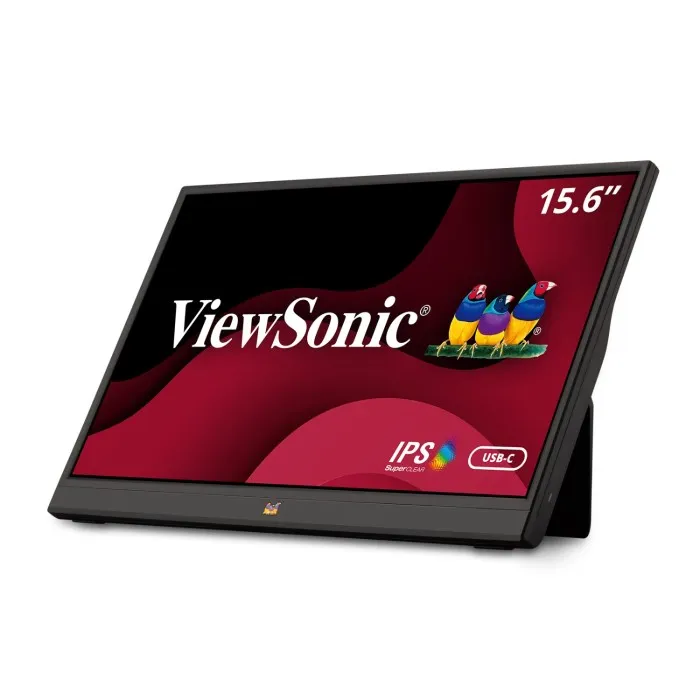
ViewSonic Portable Monitor: Your Ultimate Solution for Mobile Productivity and Entertainment
In today’s fast-paced digital landscape, professionals, gamers, and content creators constantly seek ways to boost productivity while on the move. The ViewSonic portable monitor has emerged as a transformative solution, redefining how we work, play, and create outside traditional office environments. These sleek, lightweight displays deliver an ideal balance of portability and performance, allowing you to extend your workspace anywhere—from coffee shops and client meetings to hotel rooms and outdoor setups.
The demand for portable display solutions has surged dramatically, with the global market projected to reach $2.8 billion by 2027, growing at a compound annual growth rate of 12.3%. This expansion reflects a fundamental shift in work and entertainment habits, driven by remote work arrangements and mobile gaming. ViewSonic, a trusted leader in display technology for over thirty years, continues to dominate this space by delivering innovative portable monitors that never compromise on quality or essential features.
Why Choose a ViewSonic Portable Monitor for Your Mobile Workspace?
ViewSonic has built its reputation on delivering exceptional visual quality and reliable performance across its entire product lineup. Investing in a ViewSonic portable monitor means gaining more than a secondary screen; you are accessing professional-grade display technology engineered into an ultra-portable form factor. These units incorporate the same advanced panel technology and color precision found in ViewSonic’s full-sized professional monitors, ensuring your mobile workspace maintains high visual standards.
Superior Panel Technology and Color Accuracy
The ViewSonic portable monitor lineup utilizes IPS (In-Plane Switching) panel technology, which delivers outstanding color accuracy and wide viewing angles of up to 178 degrees. Whether you are reviewing design mockups, analyzing spreadsheets, or streaming media, colors remain consistent and true from virtually any angle. Many models achieve 100% sRGB color gamut coverage, making them highly suitable for color-critical tasks such as photo editing, graphic design, and video production. Achieving this level of color fidelity in a portable package was once considered impossible.
Intelligent Power Management and USB-C Connectivity
Battery efficiency and power management are critical for any mobile device, and ViewSonic has engineered intelligent systems to maximize uptime. Many models operate directly through a single USB-C cable, eliminating bulky power adapters and reducing cable clutter. This versatile USB-C connection simultaneously transmits video, audio, and power, creating a streamlined one-cable solution. For users requiring extended untethered operation, select ViewSonic portable monitors feature built-in batteries that provide hours of continuous use, perfect for outdoor presentations or locations without accessible power outlets.
Key Features That Set ViewSonic Portable Displays Apart
ViewSonic portable monitors come equipped with a comprehensive suite of features designed to enhance both productivity and user experience. Screen sizes typically range from 13.3 inches to 17.3 inches, providing flexibility based on your specific needs. The 15.6-inch models strike an optimal balance between screen real estate and portability, fitting easily into most laptop bags while offering substantial additional workspace.
Resolution options include Full HD (1920×1080) for standard productivity tasks and 4K (3840×2160) for professionals who demand ultra-sharp detail and maximum screen space for multitasking. Connectivity remains a strong point, with many models featuring versatile USB-C ports alongside mini-HDMI inputs for broader compatibility with cameras, gaming consoles, and older laptops. Premium models often include multiple USB-C ports, allowing simultaneous connections to different devices or separate video and charging lines.
Build quality and design aesthetics receive careful attention across the lineup. Slim bezels maximize screen area while minimizing overall dimensions, with many models measuring under 10mm thick. Weighing between 1.5 and 3 pounds depending on size, these displays add minimal weight to your travel kit. Premium aluminum chassis provide durable protection, while integrated kickstands or protective cases with stand functionality offer versatile viewing angles without requiring extra accessories.
ViewSonic Portable Monitor Models: Finding Your Perfect Match
ViewSonic offers distinct portable monitor series tailored to specific workflows:
- VG Series: Designed for business professionals, featuring daisy-chain capability, advanced ergonomics, and enhanced eye-care technologies. These models prioritize neutral color calibration and include flicker-free backlighting and blue light filters to reduce strain during long work sessions.
- TD Series: Introduces touch functionality, transforming your portable display into an interactive workstation. Supporting Windows and macOS gesture controls, these monitors feature responsive 10-point multi-touch and stylus compatibility, making them ideal for designers, educators, and presenters.
- ColorPro Series: Built for creative professionals and content creators, delivering exceptional color accuracy with factory calibration. These models support multiple color spaces including sRGB, Adobe RGB, and DCI-P3, and often include hardware calibration tools. Paired with 4K resolution and wide gamut coverage, they are perfect for photo editing, color grading, and location shoots.
Maximizing Productivity with Dual-Screen Setups
Research consistently shows that dual-monitor setups can boost productivity by 20% to 30% across various tasks. A ViewSonic portable monitor enables you to create this efficiency-enhancing environment anywhere you work. The additional screen real estate lets you keep reference materials, communication tools, or monitoring dashboards visible while focusing on your primary tasks on your laptop.
Different professionals leverage this setup uniquely:
- Developers keep documentation, repositories, or terminal windows on the portable display while coding on their main screen.
- Financial analysts monitor live market data on one screen while building models or reviewing reports on the other.
- Content creators preview footage on the portable monitor while keeping editing timelines and toolbars accessible on their primary display.
- Writers and researchers maintain reference materials and notes visible without constant window switching, preserving focus and writing flow.
Beyond convenience, expanded workspace reduces cognitive load and minimizes context switching. By eliminating the need to constantly minimize windows or rely on cramped split-screen views, you can work more naturally. The ViewSonic portable monitor effectively becomes a seamless extension of your digital workspace, supporting organized and less mentally taxing multitasking.
Gaming on the Go with ViewSonic Portable Gaming Monitors
Mobile gaming has evolved well beyond smartphone screens, with enthusiasts demanding desktop-quality experiences on portable devices. ViewSonic has responded with gaming-focused portable monitors featuring high refresh rates up to 144Hz for smooth, fluid gameplay without motion blur. These displays incorporate Adaptive Sync technology, synchronizing the refresh rate with your GPU output to eliminate screen tearing and stuttering.
Response time is equally critical for competitive gaming. ViewSonic’s gaming monitors achieve response times as low as 3ms, ensuring actions translate to the screen with minimal latency. Combined with low input lag, these displays deliver the responsiveness required for fast-paced first-person shooters, fighting games, and multiplayer titles. Importantly, ViewSonic does not sacrifice portability for performance, offering specs that rival full-sized gaming monitors in a transportable package.
Visual quality remains paramount even during gaming. These monitors deliver vibrant colors, deep blacks, and excellent contrast ratios that bring virtual worlds to life. Many models support HDR (High Dynamic Range), expanding color and brightness ranges for more realistic imagery. Whether exploring open-world environments or competing in esports, the display quality elevates your gaming experience while remaining versatile enough for productivity work.
Setup and Configuration: Getting Started Quickly
Setting up a ViewSonic portable monitor is designed for plug-and-play simplicity. For USB-C connections, simply link your device to the monitor using the included cable. No driver installation or complex configuration is required; your operating system automatically detects the new display within seconds. Windows, macOS, and most Linux distributions handle portable monitor detection seamlessly, though you may want to adjust resolution, scaling, and arrangement in your display settings.
For devices lacking USB-C video output, mini-HDMI provides universal compatibility. Connect the mini-HDMI cable to the monitor and a standard HDMI cable to your source device, then power the monitor via the included adapter or a USB power bank. Some models feature on-screen display (OSD) controls or joysticks along the edge, allowing quick adjustments to brightness, contrast, color temperature, and input selection.
Display arrangement settings let you customize how the portable monitor integrates with your existing screen. In Windows, right-click the desktop to access display settings, where you can drag virtual screen representations to match their physical layout. This ensures your cursor moves smoothly between displays. You can also choose between extended desktop mode for productivity or mirroring mode for presentations.
Eye Care Technologies for Extended Use